
Introduction
The Symantec (CA/Broadcom) Identity Portal is widely used for managing IAM workflows with customizable forms, tasks, and business logic. This tool allow its business logic to be exported within the management console.

However, a major challenge exists in migrating or analyzing environments like Dev → Test → Prod . This effort can be challenging when working with these exported Portal files. Although configuration migration tools are available, reviewing and verifying changes can be difficult. Portal exports are delivered as a single compressed JSON one-liner—making it hard to identify meaningful changes (“deltas”) without involving a large manual effort.
Challenge 1: Single-Line JSON Exports from Identity Portal

Example above has over 88K characters in a single line. Try to search on that string to find the object you wish to change or update.
Identity Portal’s export format is a flat, one-line JSON string, even if the export contains hundreds of forms, layout structures, and java scripts.
Migration/Analysis Risks
- Impossible to visually scan or diff exports.
- Nested structures like
layout,formProps, andhandlersare escaped strings, sometimes double-encoded. - Hidden differences can result in subtle bugs between versions or environments.
A Solution
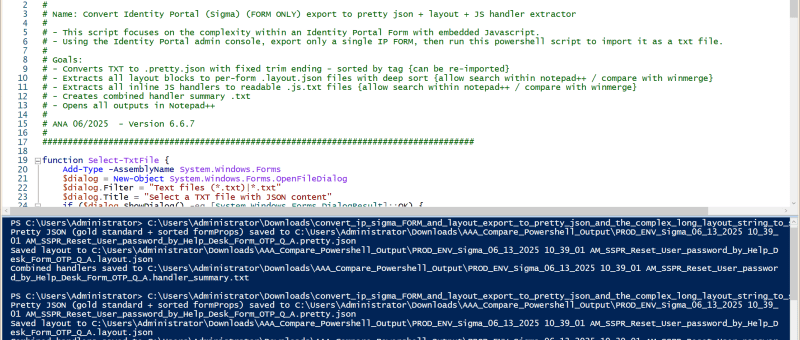
We created a series of PowerShell scripts that leverage AI to select the best key-value pairs to sort on, that would either provide the best human-readable or searchable processes to reduce the complexity and effort for migration processes. We now can isolate minor delta changes that would otherwise been hidden until a use-case was exercised later in the migration effort, which would require additional effort to be utilized.

- Convert the one-liner export into pretty-formatted, human-readable JSON.
- Detect and decode deeply embedded or escaped JSON strings, especially within
layoutorformProps. - Extract each form’s business logic and layout separately.
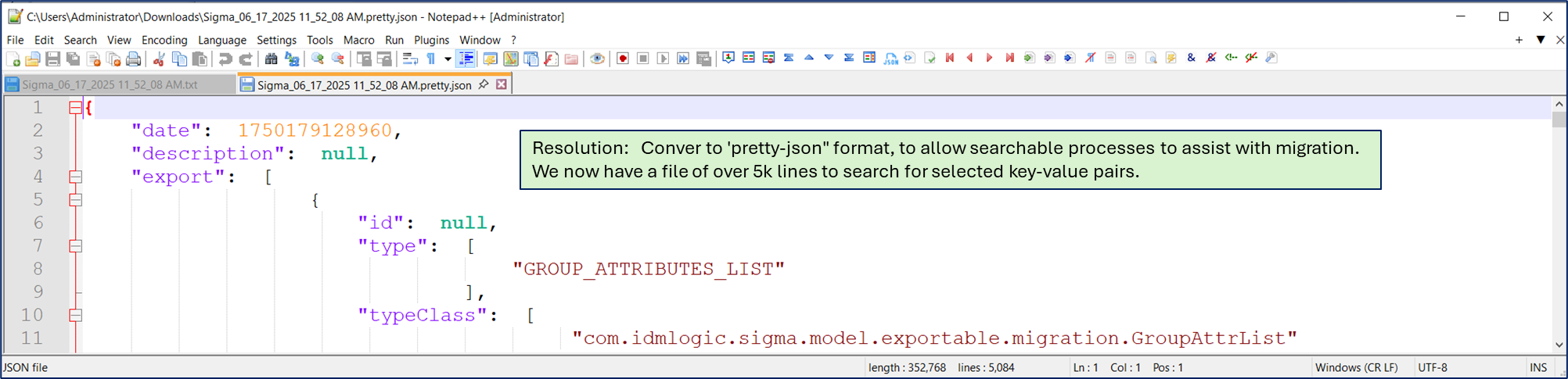
These outputs allow us to:
- Open and analyze the data in Notepad++, with clean indentation and structure.
- Use WinMerge or Beyond Compare to easily spot deltas between environments or versioned exports.
- Track historical changes over time by comparing daily/weekly snapshots.
Challenge 2: Embedded JavaScript Inside Portal Forms
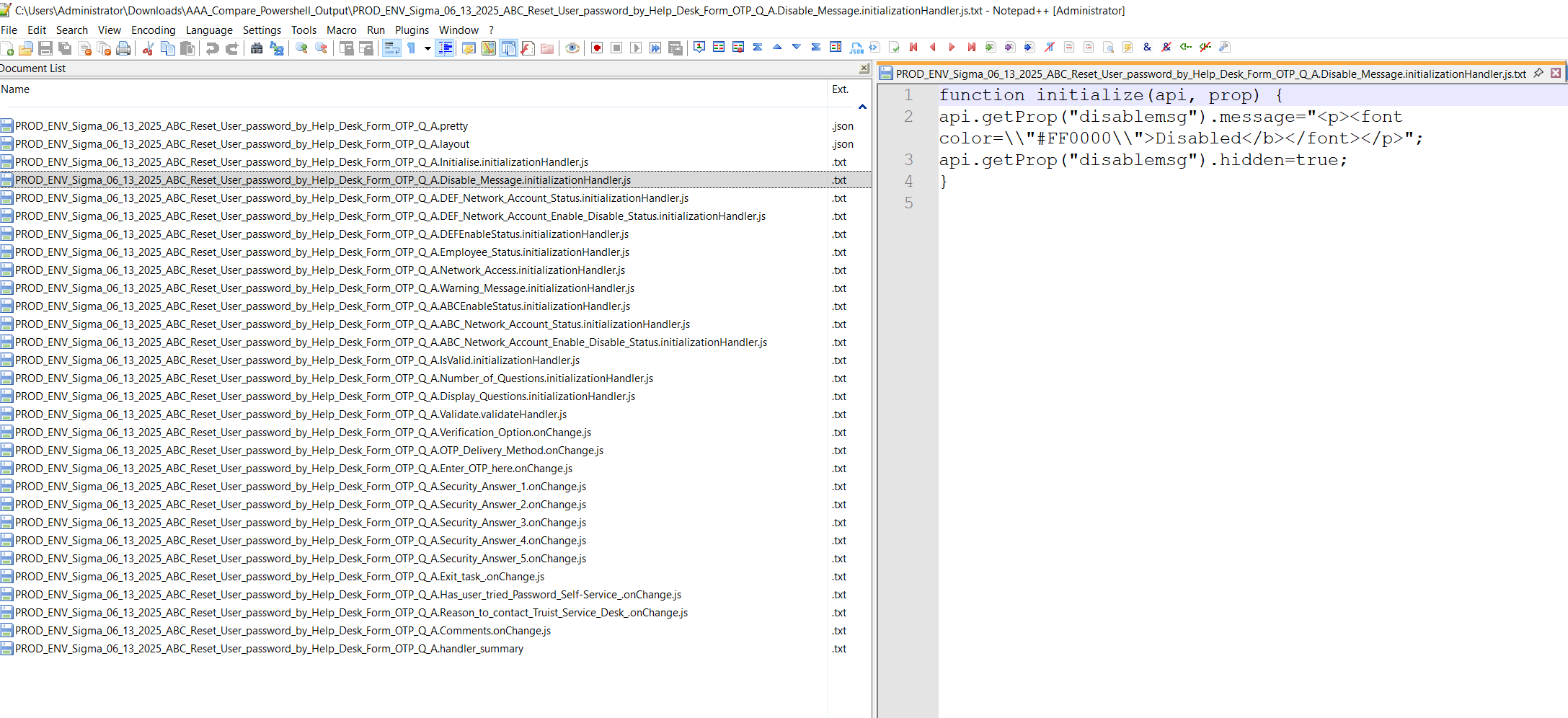
Identity Portal forms often include JavaScript logic directly embedded in the form definition (onLoad, onChange, onSubmit).
Migration Risks
- JS logic is not separated from the data model or UI.
- Inconsistent formatting or legacy syntax can cause scripts to silently fail.
- Broken logic might not surface until after production deployment.
Suggested Solutions
- Use PowerShell to extract JS blocks per form and store them as external
.js.txtfiles. - Identify reused code patterns that should be modularized.
- Create regression test cases for logic-heavy forms.
Challenge 3: Form Layouts with Escaped JSON Structures
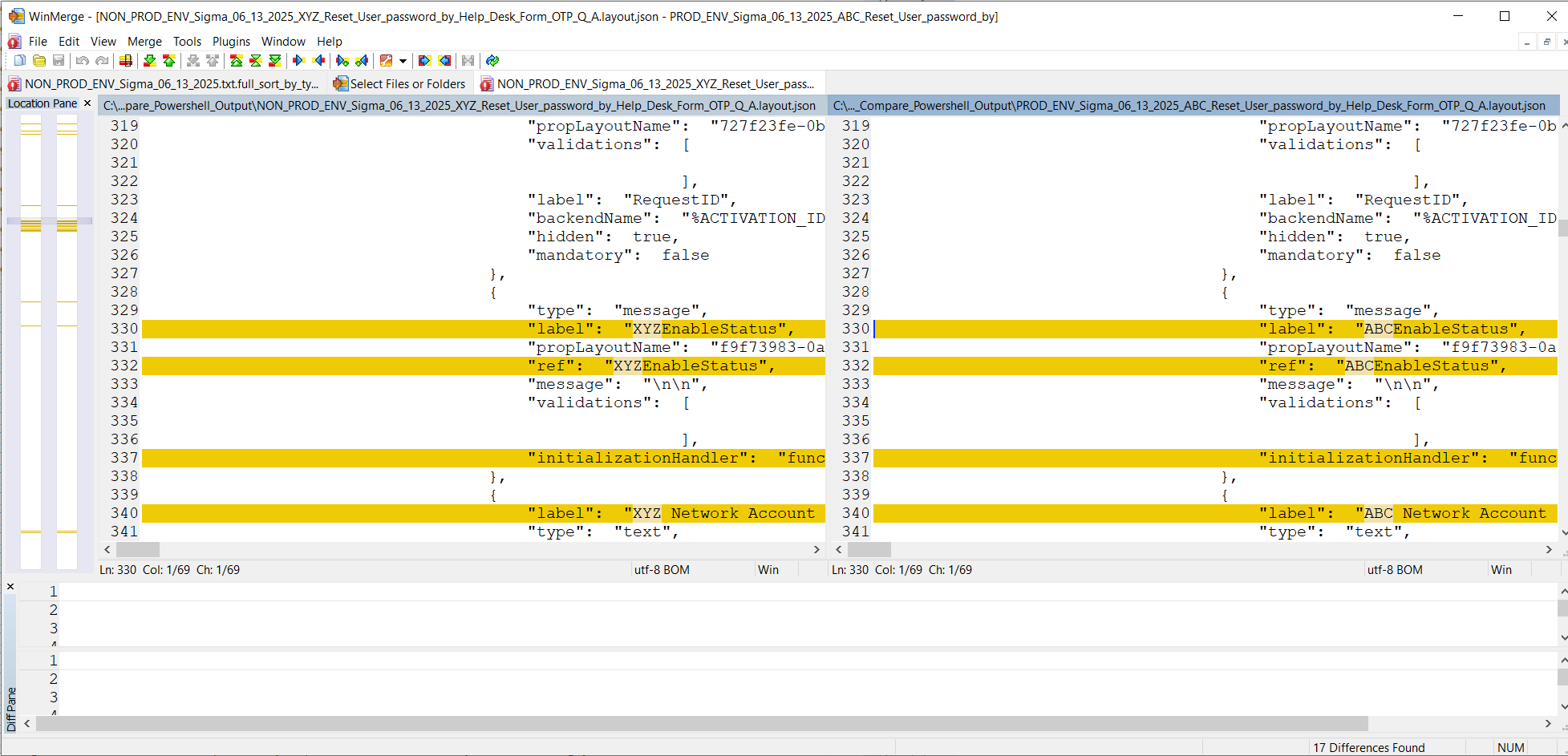
The layout field in each form is often a stringified JSON object, sometimes double or triple-escaped.


Migration Risks
- Malformed layout strings crash the form UI.
- Even minor layout changes (like label order) are hard to detect.
Suggested Solutions
- Extract and pretty-print each layout block to
.layout.jsonfiles.- Please note: While the output is pretty-print, it is not quite JSON format, due to the escape sequences. Use these exported files as searchable/research to help isolate deltas to be corrected during the migration efforts.
- Use WinMerge or Notepad++ for visual diffs.
- Validate control-to-field binding consistency.
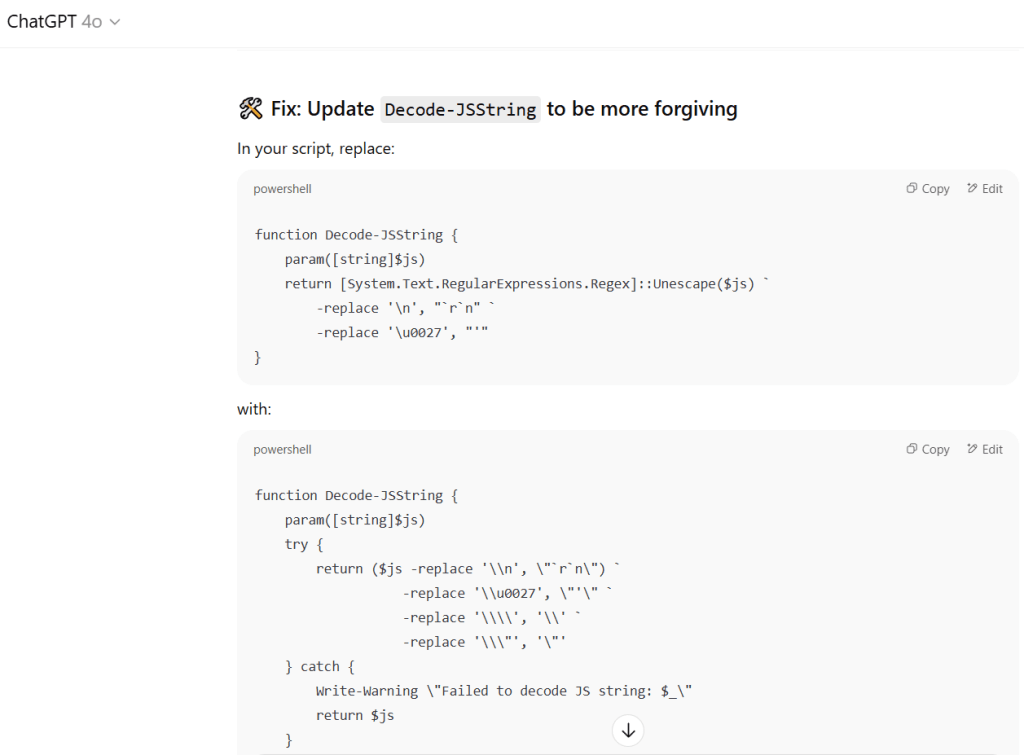
Using our understanding of the Identity Portal format for the ‘layout’ property, were able to identify methods using AI to manage the double-or-triple escaped characters that were troublesome to export consistently. Our service engagements now incorporate greater use of AI and associated APIs to support migration efforts and process modernization, with the goal of minimizing business risk for our clients and our organization.
Challenge 4: Java Plugins with Multiple Classes
Many Portal instances rely on custom Java plugins with dozens of classes, Spring beans, and services.
Migration Risks
- Portal API changes break plugins.
- Lack of modularity or documentation for the custom plugins.
- Missing source code for complied custom plugins.
- Difficult to test or rebuild.
Suggested Solutions
- In the absence of custom source code, decompile plugins using
jd-gui. - Rebuild with Maven/Gradle in modern IDEs.
- Isolate logic into reusable service layers.
Testing and Validation
- Pretty JSON confirms field mapping.
- Layouts render in Dev, Test, and Prod.
- Plugins respond with valid output.
- JS handlers trigger as expected.
Tools and Techniques
- PowerShell: Prettify JSON, extract layouts/handlers.
- Notepad++: Review JSON and scripts.
- WinMerge / Beyond Compare: Diff exports and track changes.
- jd-gui Java decompilation for plugin reverse engineering.
Recommendations for Future-Proofing
- Store layouts and handlers in Git.
- Modularize plugin code.
- Version control form definitions.
- Automate validation tests in CI or staging.
Conclusion
Migrating Identity Portal environments requires more than copy-pasting exports— In the absence of proper implementation documentation around customizations, it may require reverse engineering, decoding, and differencing of deeply nested structures.
By extracting clean, readable artifacts and comparing across environments, teams will gain visibility, traceability, and confidence in their migration efforts.
Review our github collection of the above mentioned scripts. Please reach out if you would like assistance with your migration processes/challenges. We can now progress toward automation of the business logic from one environment to the next.