

Metrics are essential for monitoring and optimizing the health of your solutions. The simplicity of using SaaS-based Application Performance Monitoring (APM)/Operational Intelligence/Analytics tools makes them indispensable for gaining actionable insights.
By leveraging metrics, you can not only ensure the performance and reliability of your systems but also build compelling ROI use cases. We can leverage these SaaS platforms to incorporate ROI queries to pull forward data that is not exposed in other dashboards.
In this guide, we’ll demonstrate the power of metrics by deploying a Broadcom DX O2 agent to the Symantec IGA Virtual Appliance in under 10 minutes, providing immediate value and visibility into your business operations. This straightforward process integrates seamlessly into your existing infrastructure, enhancing the observability and security of a hardened appliance.
This walk-through will showcase how metrics can enhance the observability and security of a hardened appliance.
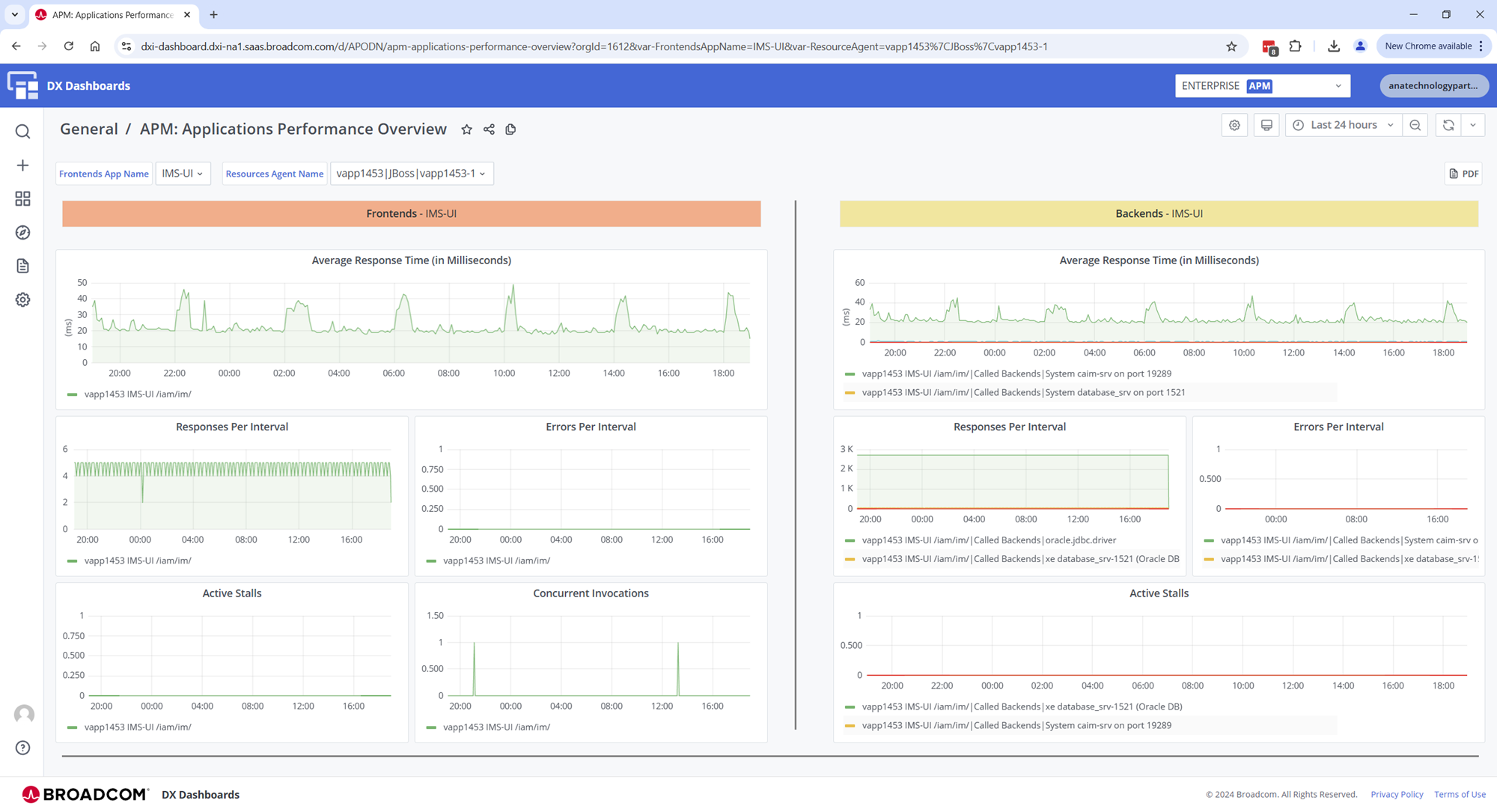

Steps to leverage the DX O2 Java Agent:
Step01: Login to your instance of DX O2 (Operational Observability)
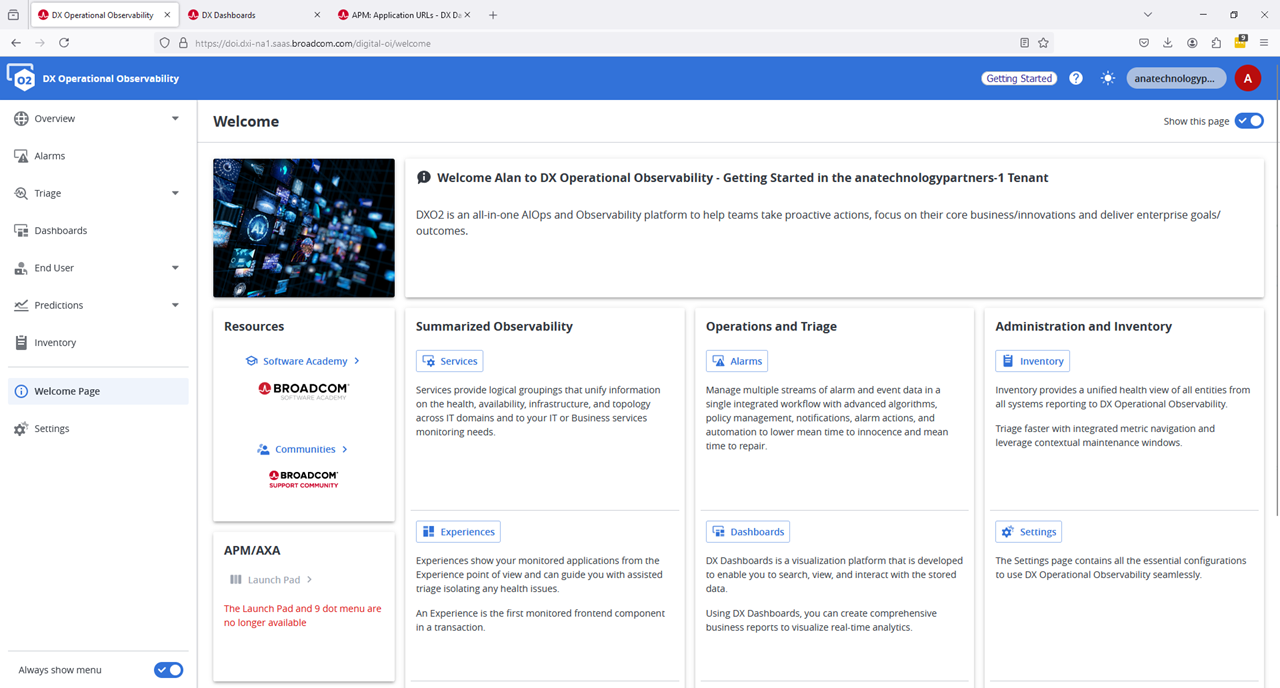
Step02: Download Agents
After you login to your DX OI/O2 instance, navigate to the settings/agents section. You can select an Agent, and your custom authentication token to use it will be embedded in the package. We plan to use the javaagent being offered for Wildfly (aka JBOSS) . Select this agent.
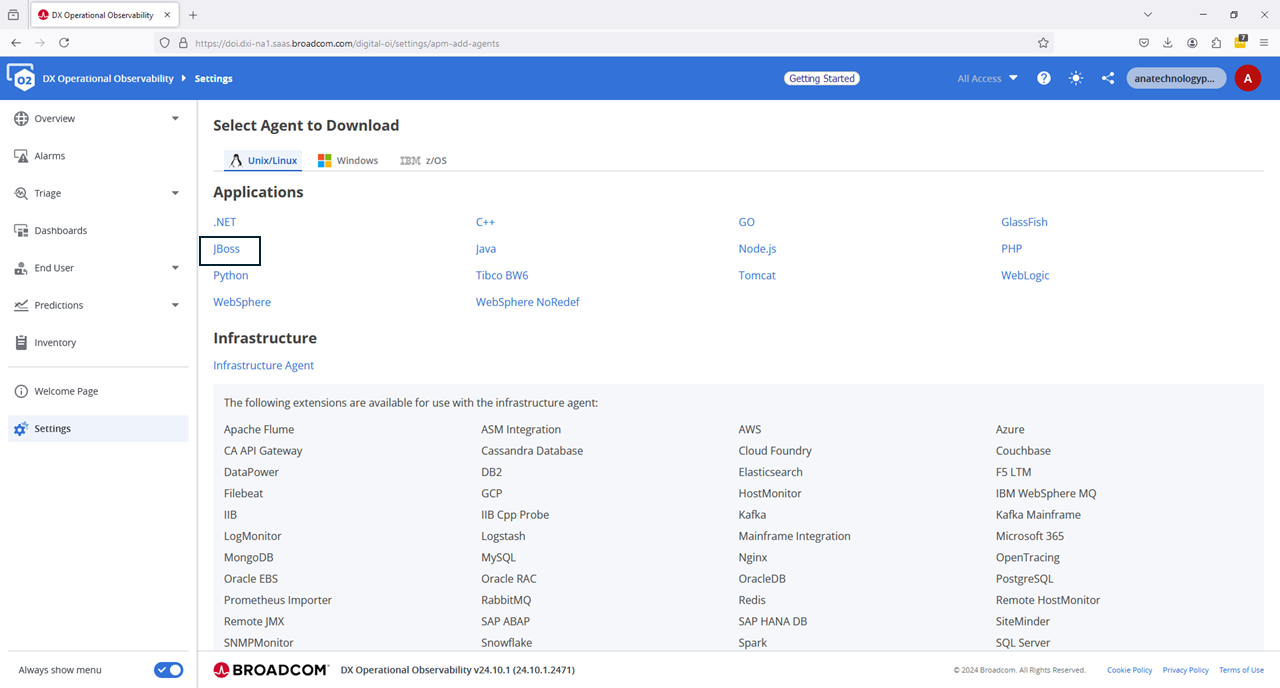
When the screen displays, expand the “Command Line Download“. We will use the wget command to directly download this agent to our Virtual Appliance that has internet access. Otherwise, download the agent to your workstation, and then file transfer it to your Virtual Appliance that has Wildfly running on it.

Step03: Login to the IGA Virtual Appliance with ssh.
Create a local media folder, then proceed to download the DX 02 agent. After the download is successful, we will extract the agent into a known folder used on the IGA Virtual Appliance for “java profilers”. Since the files are owned by the ‘config’ user, and we need the ‘wildfly’ user to have access to the log folder, please chmod 777 to both log folders to avoid any startup issues for the Wildfly applications. You may leave the rest of the file/folder permissions as is.
mkdir -p ~/media/dxoi_agent ; cd ~/media/dxoi_agent/

wget --content-disposition "https://apmgw.dxi-na1.saas.broadcom.com/acc/apm/acc/downloadpackage/XXXXXXXXXXXXXXXX?format=archive&layout=bootstrap_preferred&packageDownloadSecurityToken=ZZZZZZZZZZZZZZZZZZZZZZ"

ls -lart

tar -xf JBoss_jboss_20241117_v1.tar -C /opt/CA/VirtualAppliance/custom/profiler/

cd /opt/CA/VirtualAppliance/custom/profiler/

ls -lart

cd wily/

ls -lart

# We could update permissions for all files/folder to 777, but we only need the following to be changed.
# Update permission for folders that 'wildfly' will write out to.
chmod 777 logs/  ./releases/24.10/logs/
chmod 777 ./releases/24.10/core/config/hotdeploy
chmod 777 ./releases/24.10/extensions
mkdir -p ./releases/24.10/core/config/metrics
chmod 777 ./releases/24.10/core/config/metrics
After updating the logs, hotdeploy, extensions, metrics folders’ permissions, please run the shell script “./agent-location.sh”. This script will output the JVM arguments that we will use with the Wildfly instances for IdentityManager, IdentityPortal, and IdentityGovernance
./agent-location.sh

/opt/CA/VirtualAppliance/custom/profiler/wily/releases/24.10/Agent.jar -Dcom.wily.introscope.agentProfile=/opt/CA/VirtualAppliance/custom/profiler/wily/releases/24.10/core/config/IntroscopeAgent.profile -Dintroscope.agent.bootstrap.home=/opt/CA/VirtualAppliance/custom/profiler/wily -Dintroscope.agent.bootstrap.release.version=24.10 -Dintroscope.agent.bootstrap.version.loaded=24.10
We will now edit the jvm-arg.conf files for both IdentityManager and IdentityPortal for this scenario with the above string. We will prepend the string “javaagent:” and to avoid an Java Log Module loading order error, we will place the entire string at the very end of the JAVA_OPTS variable. We can use the same exact string and path, as the service name of each instance will be automatically determined by the javaagent.
Below is a view of what the IM and IP jvm-args.conf file should look like. Please ensure the full string is at the very end.
cat /opt/CA/VirtualAppliance/custom/IdentityManager/jvm-args.conf

# Add the Broadcom DX-O2 Javaagent to Identity Manager
JAVA_OPTS=-Xms512m -Xmx4096m -XX:+UseG1GC -XX:+UseStringDeduplication -XX:+UseCompressedOops  -Djava.net.preferIPv4Stack=true   -XshowSettings:properties  -DLog4jContextSelector=org.apache.logging.log4j.core.selector.BasicContextSelector -javaagent:/opt/CA/VirtualAppliance/custom/profiler/wily/releases/24.10/Agent.jar -Dcom.wily.introscope.agentProfile=/opt/CA/VirtualAppliance/custom/profiler/wily/releases/24.10/core/config/IntroscopeAgent.profile -Dintroscope.agent.bootstrap.home=/opt/CA/VirtualAppliance/custom/profiler/wily -Dintroscope.agent.bootstrap.release.version=24.10 -Dintroscope.agent.bootstrap.version.loaded=24.10


cat /opt/CA/VirtualAppliance/custom/IdentityPortal/jvm-args.conf

# # Add the Broadcom DX-O2 Javaagent to Identity Portal
JAVA_OPTS=-Xms512m -Xmx1512m -XX:+UseG1GC -XX:+UseStringDeduplication -XX:+UseCompressedOops -Djava.net.preferIPv4Stack=true -javaagent:/opt/CA/VirtualAppliance/custom/profiler/wily/releases/24.10/Agent.jar -Dcom.wily.introscope.agentProfile=/opt/CA/VirtualAppliance/custom/profiler/wily/releases/24.10/core/config/IntroscopeAgent.profile -Dintroscope.agent.bootstrap.home=/opt/CA/VirtualAppliance/custom/profiler/wily -Dintroscope.agent.bootstrap.release.version=24.10 -Dintroscope.agent.bootstrap.version.loaded=24.10
Now stop and start both IdentityManager and IdentityPortal. We recommend using a second ssh session to monitor the wildfly-console.log for each, as it will immediate show any issues due to permissions or other with the java-agent.
stop_im ; start_im

tail -F /opt/CA/wildfly-idm/standalone/log/wildfly-console.log


stop_ip ; start_ip

tail -F /opt/CA/wildfly-portal/standalone/log/wildfly-console.log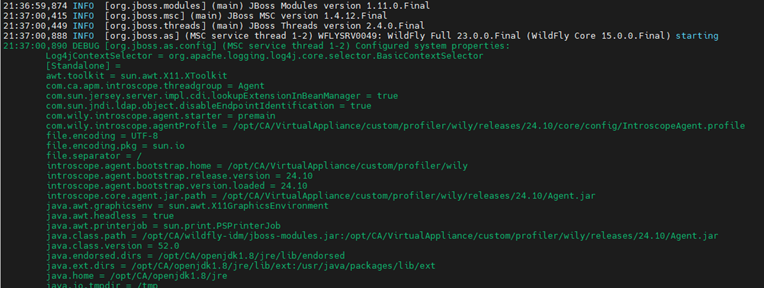
Step04: We are Done. View the DX O2 UI and review the new incoming data.
Recommend that we walk through all the possible pre-built dashboard to use and monitor/alert on your solution. Of interest, is the IM shows as the hostname of the Virtual Appliance “vapp1453” and IP shows as the internal pseudo name of “IPnode1”. Note, these values can be over-written in the profile file.
A view of metrics by each agent. You must click on each sub-category to see what is being offered.
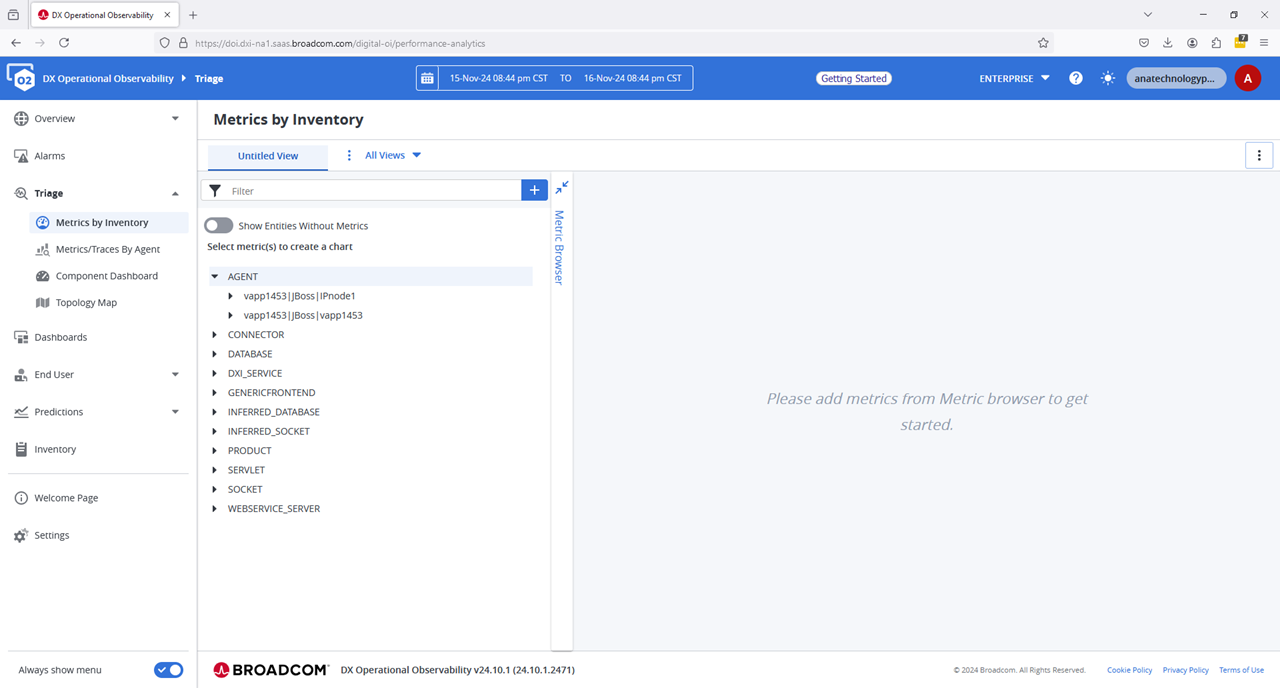
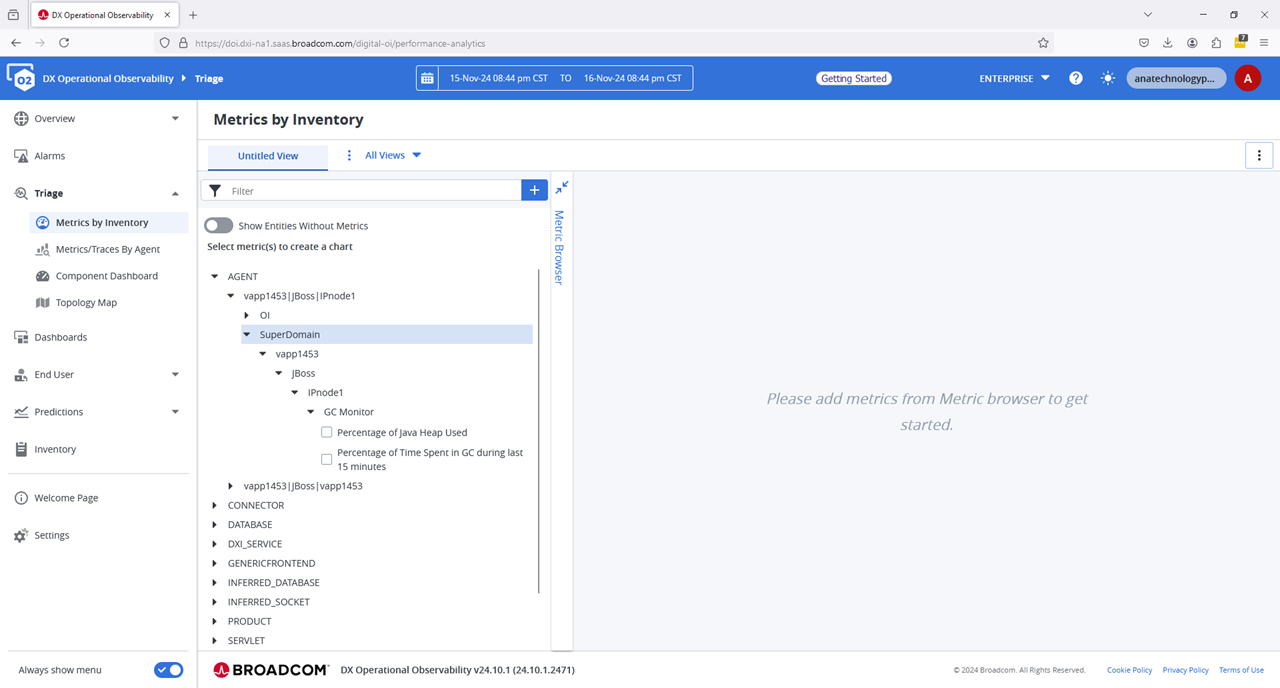
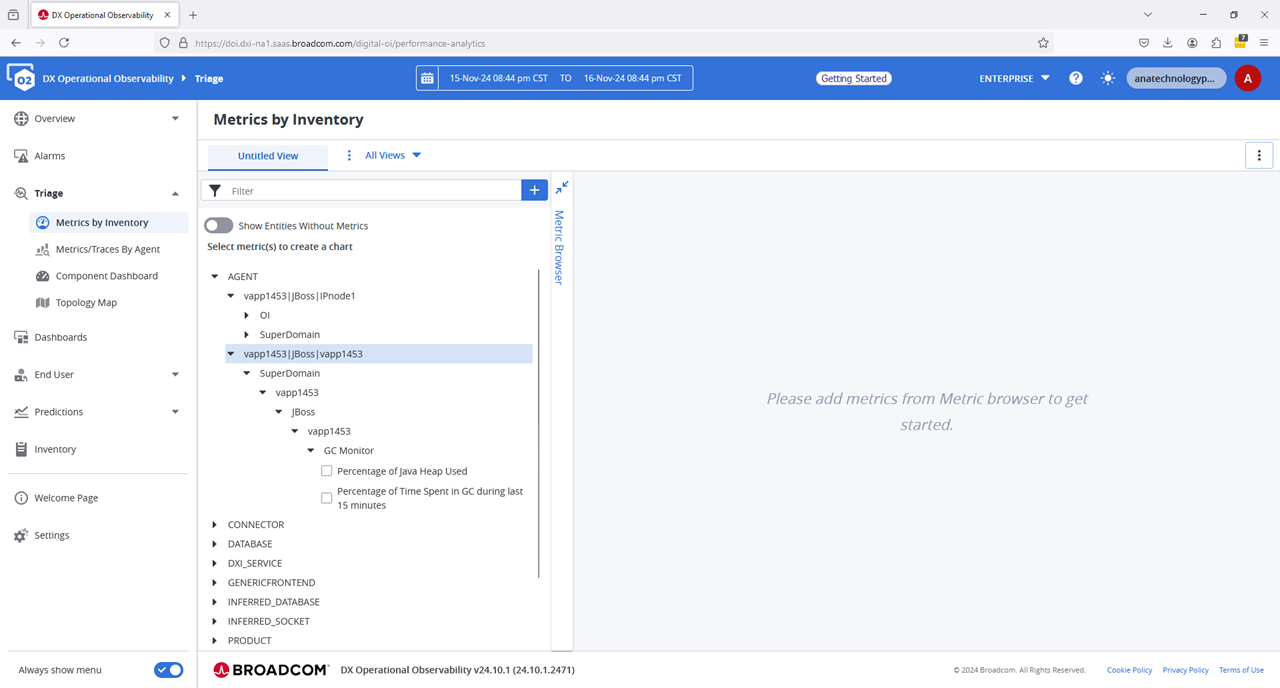


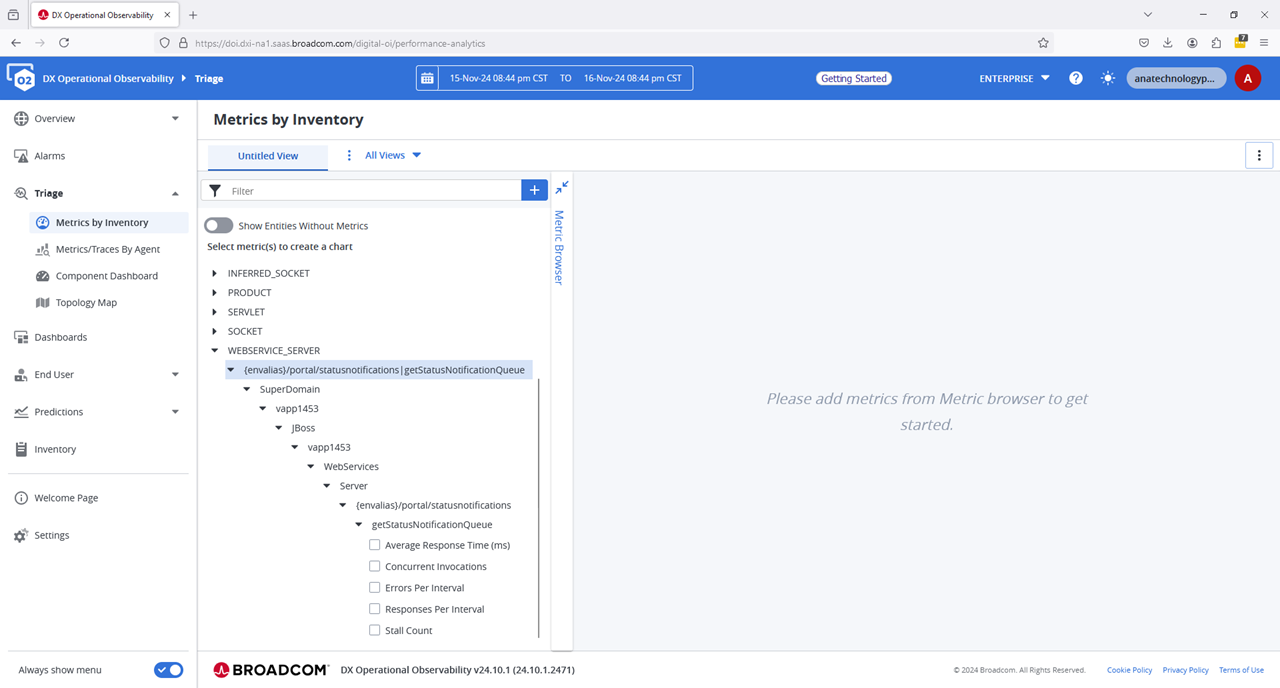
A very interesting view within the memory space of the IdentityManager application
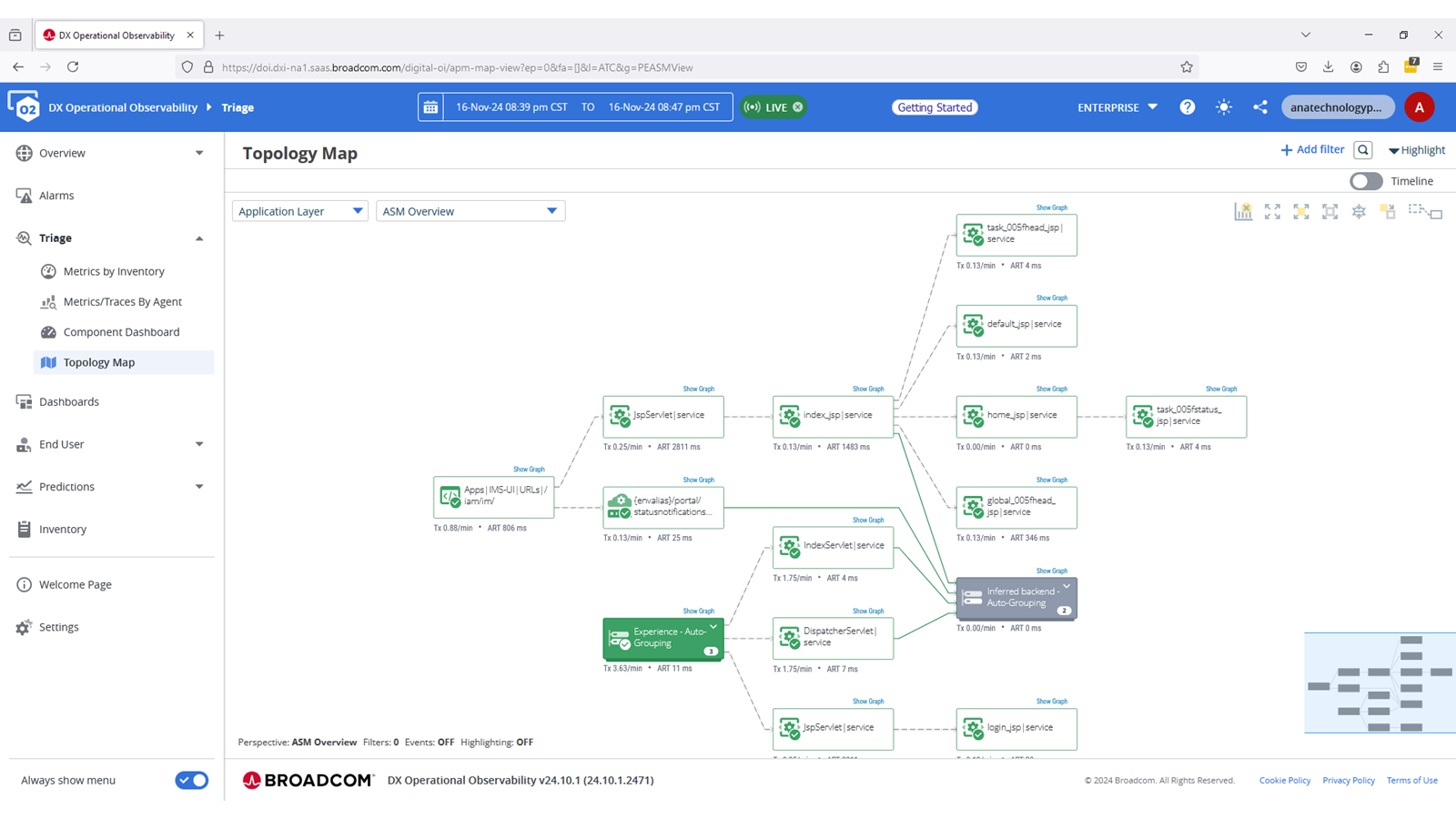
Other views to review
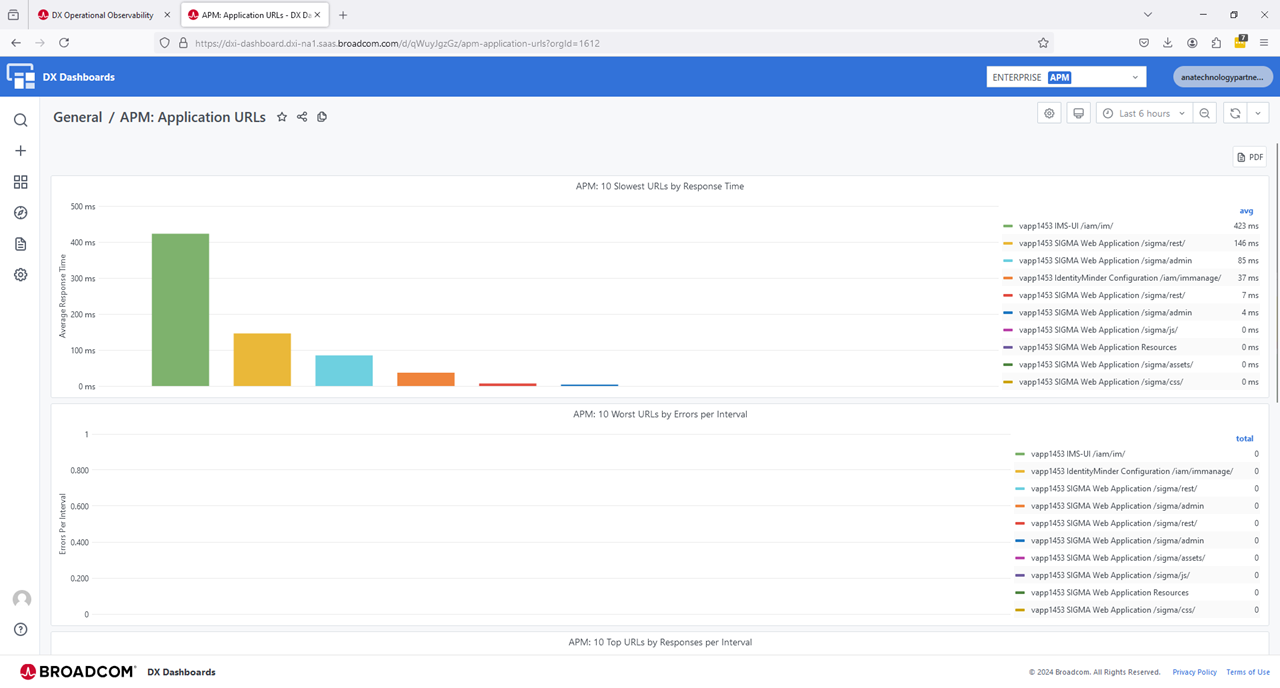
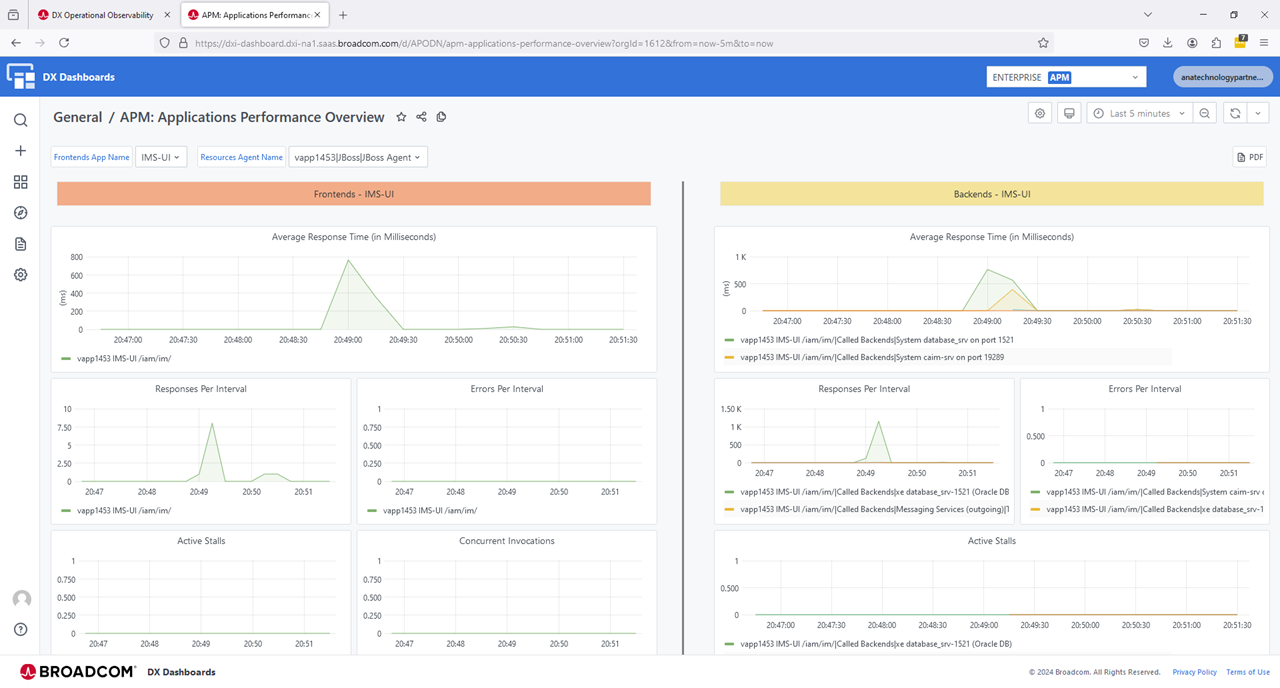

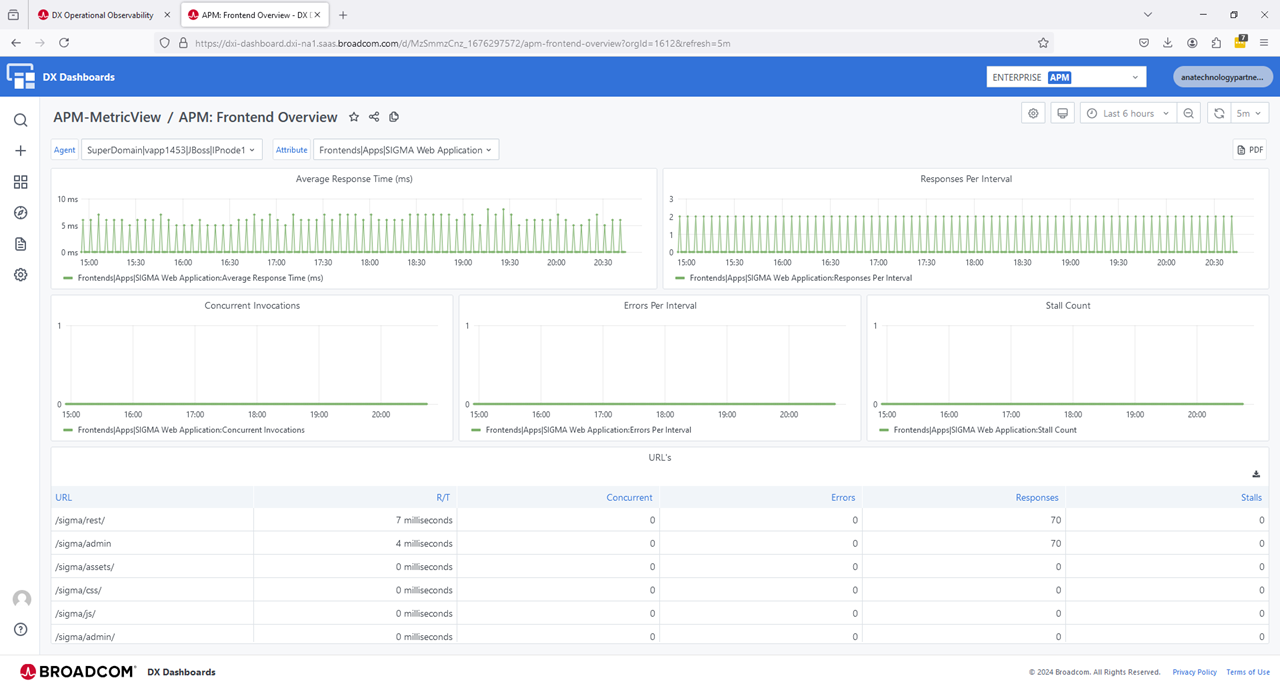
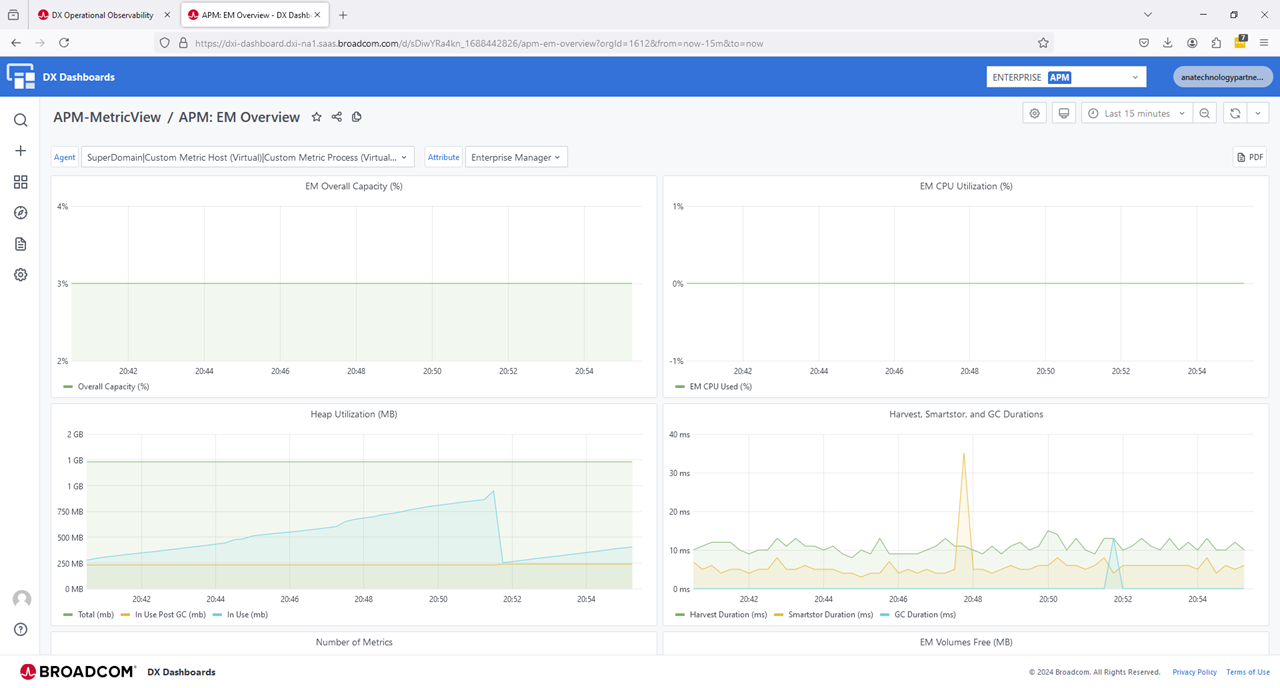
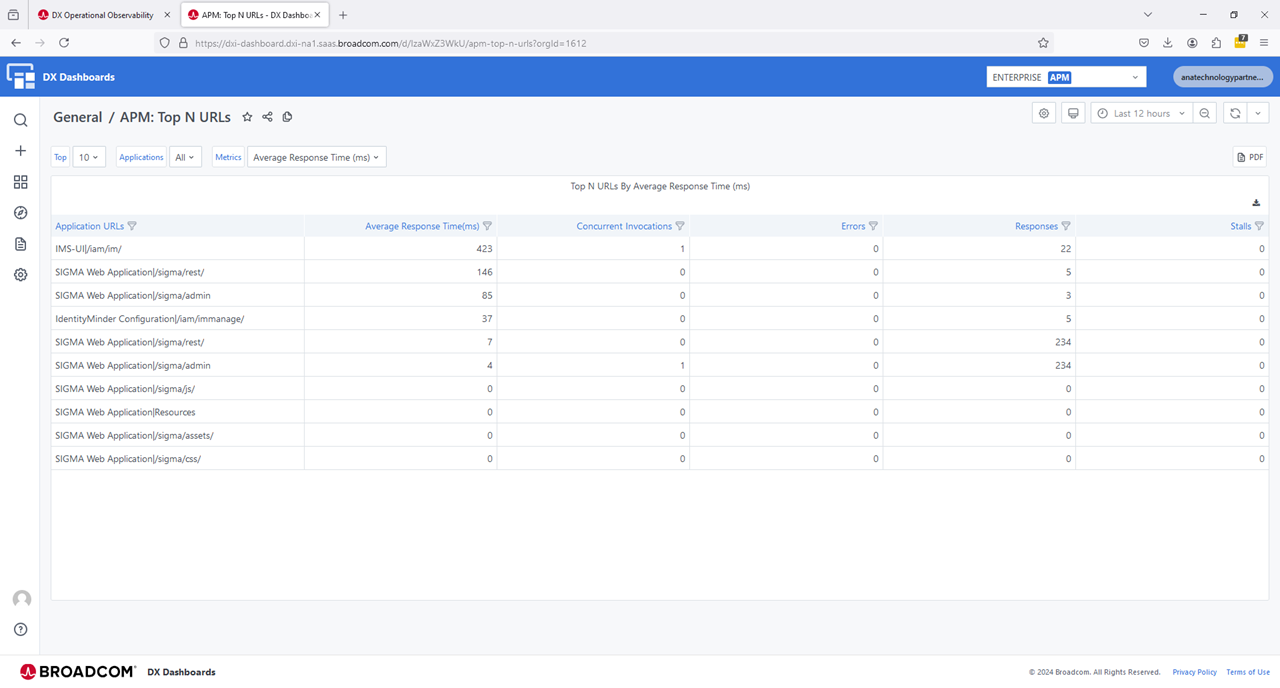
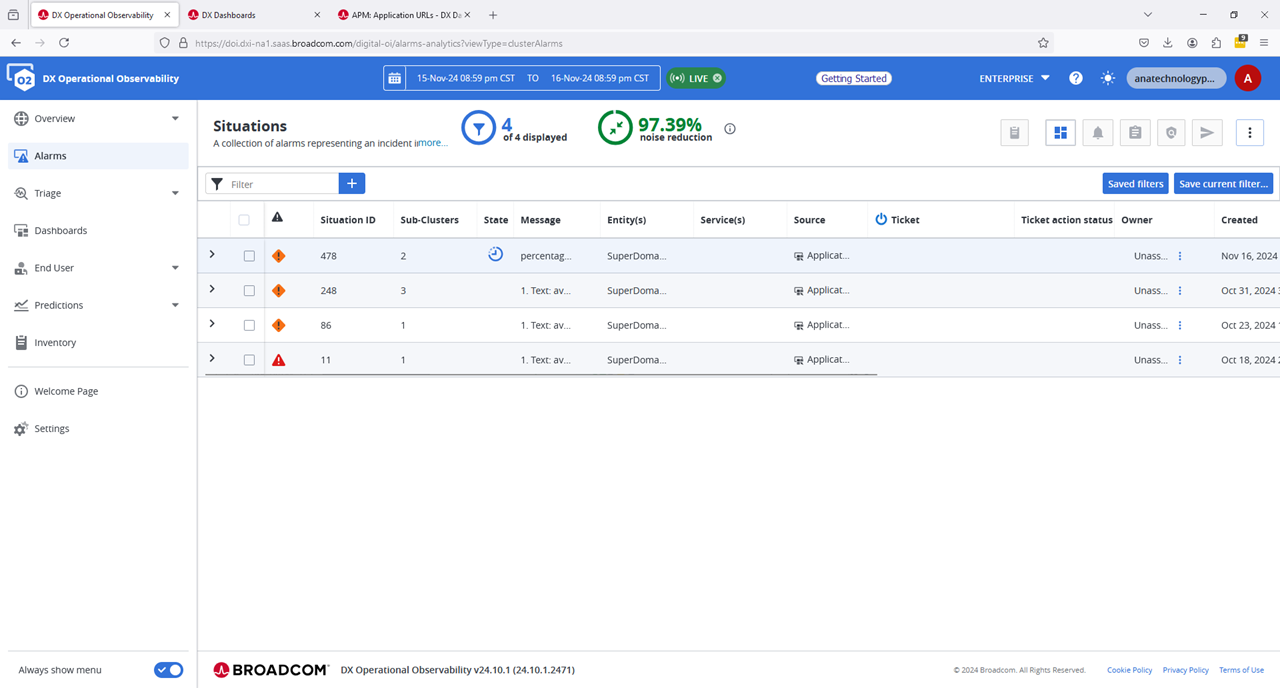

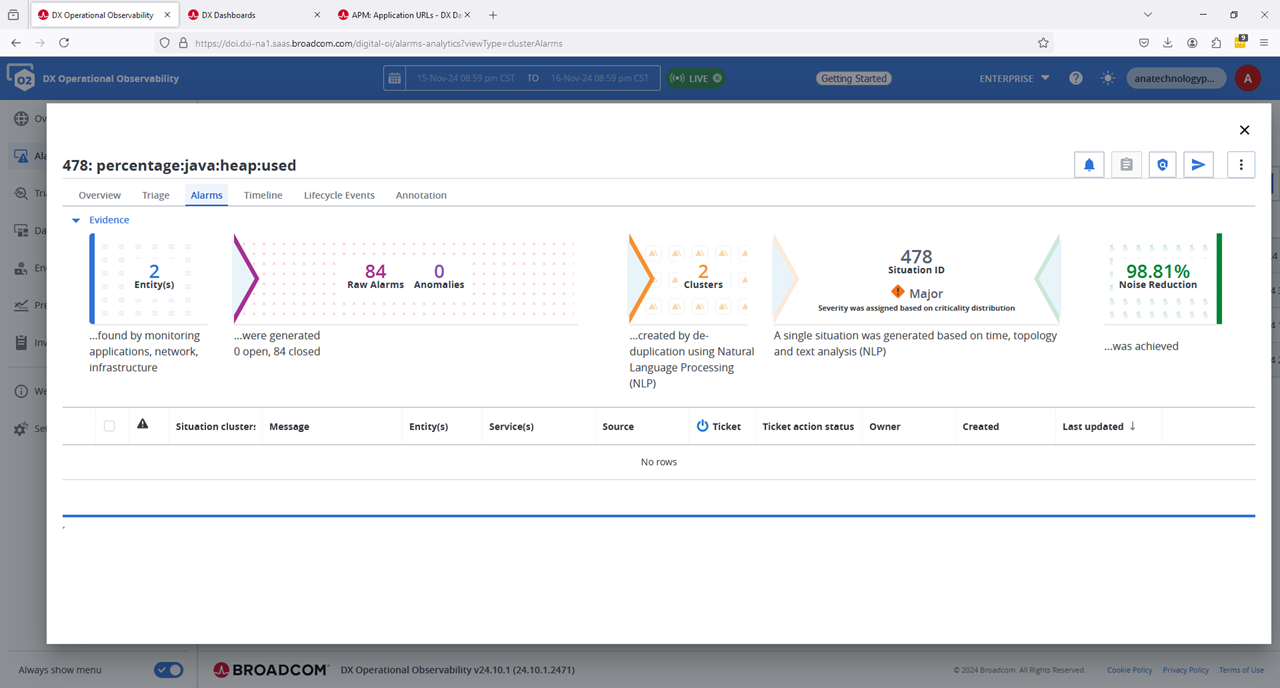
What is very interesting, is adding ROI metrics to dashboards, where we can monitor the number of events that are being utilized, e.g. external customer access, internal password changes. The APIs allowed provide maximum flexibility to input directly any ROI metrics we wish.
Reach out and we will work with you to get the most value out of your solution.
Additional Notes
JVM Order Management
On the IGA virtual appliance, the order of JVM switches for “LogManager” is predetermined. If the new javaagent is not placed at the very end of the JAVA_OPTS, we may see these generic warn/error messages. We spent quite a bit of time being mislead by these generic warning/error messages. We did not need to add extra JVM switches to manage the JVM order. If you do have challenges, review the current documentation for the JBOSS agent.

WARNING: Failed to load the specified log manager class org.jboss.logmanager.LogManager

ERROR: WFLYCTL0013: Operation ("parallel-extension-add") failed - address: ([])
Caused by: java.util.concurrent.ExecutionException: java.lang.IllegalStateException: WFLYLOG0078: The logging subsystem requires the log manager to be org.jboss.logmanager.LogManager. The subsystem has not be initialized and cannot be used. To use JBoss Log Manager you must add the system property "java.util.logging.manager" and set it to "org.jboss.logmanager.LogManager"

FATAL: WFLYSRV0056: Server boot has failed in an unrecoverable manner; exiting. See previous messages for details.
Bonus Round: Deploy the Java Agent for the JCS component
While the javaagent for both Wildfly and Java are the same, the support modules are slightly different. We may be able to combine them, but to avoid any possible concerns, we seperated the extraction folders. Add this javaagent string to the JCS JVM custom configuration file: jvm_options.conf
~/media/dxoi_agent > ls -lart

-rw-r--r-- 1 config config 30803968 Nov 16 21:18 JBoss_jboss_20241117_v1.tar


~/media/dxoi_agent > wget --content-disposition "https://apmgw.dxi-na1.saas.broadcom.com/acc/apm/acc/downloadpackage/7XXXXXXXXXX?format=archive&layout=bootstrap_preferred&packageDownload                                 SecurityToken=ZZZZZZZZZZZ"

~/media/dxoi_agent > ls -lart

-rw-r--r-- 1 config config 30803968 Nov 16 21:18 JBoss_jboss_20241117_v1.tar
-rw-r--r-- 1 config config 31645184 Nov 16 23:51 Java_other_20241117_v1.tar

~/media/dxoi_agent > tar -xf Java_other_20241117_v1.tar

~/media/dxoi_agent > ls -lart

-rw-r--r-- 1 config config 30803968 Nov 16 21:18 JBoss_jboss_20241117_v1.tar
-rw-r--r-- 1 config config 31645184 Nov 16 23:51 Java_other_20241117_v1.tar
drwxr-xr-x 4 config config      123 Nov 16 23:51 wily

~/media/dxoi_agent > mv wily/ /opt/CA/VirtualAppliance/custom/profiler/wily-jcs

~/media/dxoi_agent > cd /opt/CA/VirtualAppliance/custom/profiler/wily-jcs

/opt/CA/VirtualAppliance/custom/profiler/wily-jcs > ls -lart

drwxr-xr-x 2 config config     6 Nov 16 23:41 logs
-rw-r--r-- 1 config config     5 Nov 16 23:41 agent.release
-rwxr-xr-x 1 config config  1371 Nov 16 23:41 agent-location.sh
-rwxr-xr-x 1 config config  1138 Nov 16 23:41 agent-location.bat
-rw-r--r-- 1 config config 45258 Nov 16 23:41 Agent.jar
drwxr-xr-x 3 config config    19 Nov 16 23:51 releases

# We could update permissions for all files/folder to 777, but we only need the following to be changed.
# Update permission for folders that 'wildfly' will write out to.
chmod 777 logs/  ./releases/24.10/logs/
chmod 777 ./releases/24.10/core/config/hotdeploy
chmod 777  ./releases/24.10/extensions
mkdir -p ./releases/24.10/core/config/metrics
chmod 777 ./releases/24.10/core/config/metrics


/opt/CA/VirtualAppliance/custom/profiler/wily-jcs > ./agent-location.sh

/opt/CA/VirtualAppliance/custom/profiler/wily-jcs/releases/24.10/Agent.jar -Dcom.wily.introscope.agentProfile=/opt/CA/VirtualAppliance/custom/profiler/wily-jcs/releases/24.10/core/config/IntroscopeAgent.profile -Dintroscope.agent.bo                                 otstrap.home=/opt/CA/VirtualAppliance/custom/profiler/wily-jcs -Dintroscope.agent.bootstrap.release.version=24.10 -Dintroscope.agent.bootstrap.version.loaded=24.10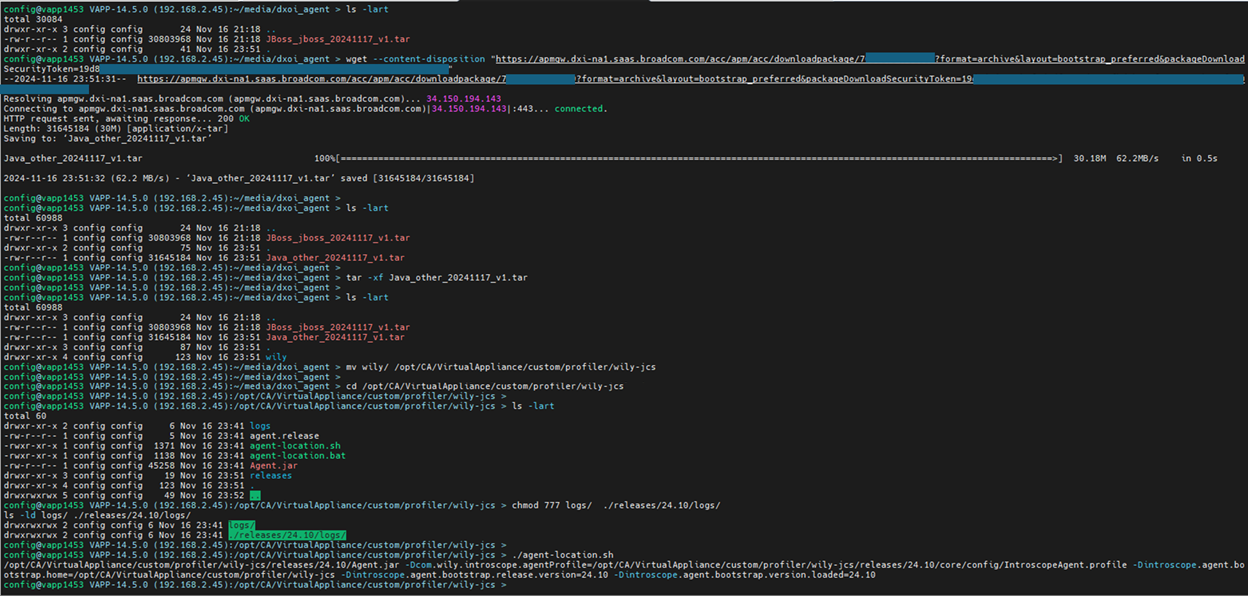
cat /opt/CA/IdentityManager/ConnectorServer/data/jvm_options.conf

-server -Xms128M -Xmx1024M -Djava.awt.headless=true -Dcom.sun.management.jmxremote -javaagent:/opt/CA/VirtualAppliance/custom/profiler/wily-jcs/releases/24.10/Agent.jar -Dcom.wily.introscope.agentProfile=/opt/CA/VirtualAppliance/custom/profiler/wily-jcs/releases/24.10/core/config/IntroscopeAgent.profile -Dintroscope.agent.bootstrap.home=/opt/CA/VirtualAppliance/custom/profiler/wily-jcs -Dintroscope.agent.bootstrap.release.version=24.10 -Dintroscope.agent.bootstrap.version.loaded=24.10
Below is a view of the JCS agent with DX O2 UI. We see it is by itself under “Java”. Also note a challenge with two (2) Wildfly (JBoss) instances using the same profile with the default “agentName=JBoss Agent”. These Wildfly instances were automatically named upon startup, but after awhile the static name in the profile took precedence. See more information below
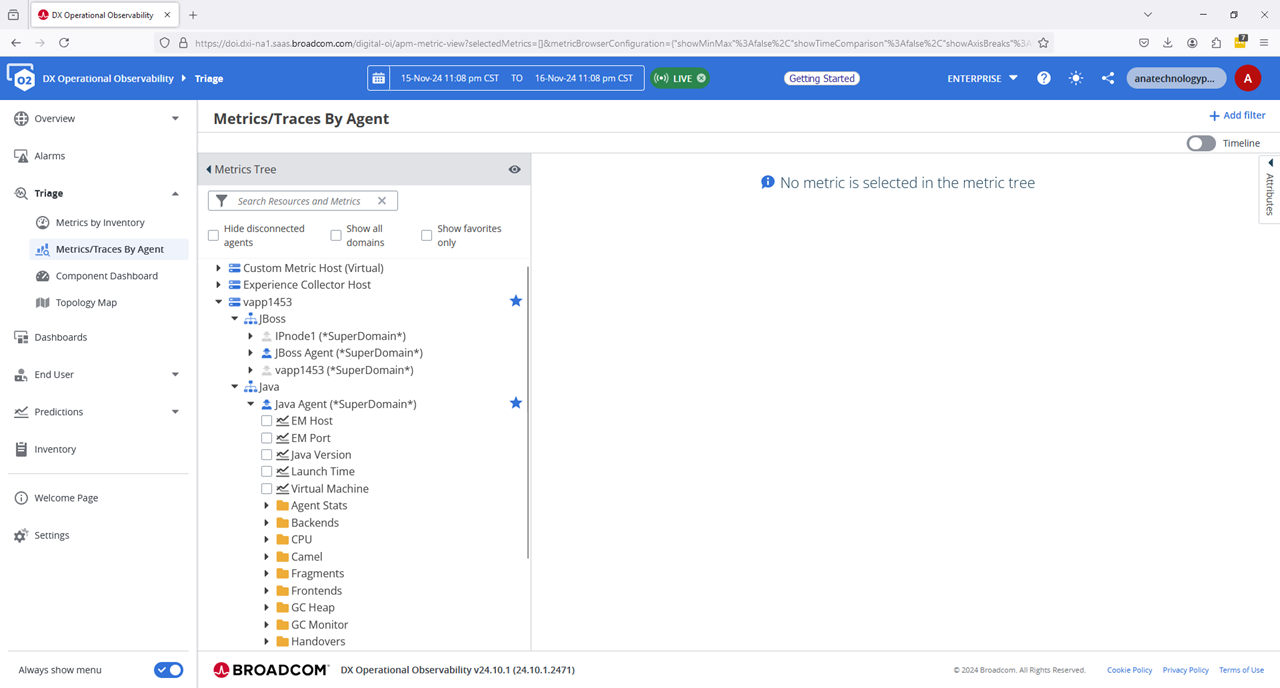
Challenge with default naming convention
When we have two (2) or more applications using the same profile, we may see DX O2 attempt to join them together in the metrics UI. To avoid this, lets make two (2) copies of the Introscope.profile and add our own “agentName” for each. Do NOT forget to comment out the default of “introscope.agent.agentName=JBoss Agent”. We added “com.wily.introscope.agent.agentName” as well, since it is called out in the online documentation.
Observations: The IP deployment honors the new value provide immediately. The IM deployment claims in the DX O2 agent logs that “Unable to automatically determine the Agent Name because: The Application Server naming mechanism is not yet available.” It defaults to the hostname of the Virtual Appliance after a few minutes, then it appears that it will reset to the correct agentName later.
/opt/CA/VirtualAppliance/custom/profiler/wily/releases/24.10/core/config > head IntroscopeAgent.ip.profile
###############################################################################
# Add name for IP application
###############################################################################
com.wily.introscope.agent.agentName=IP
introscope.agent.agentName=IP

/opt/CA/VirtualAppliance/custom/profiler/wily/releases/24.10/core/config > head IntroscopeAgent.im.profile
###############################################################################
# Add name for IM application
###############################################################################
com.wily.introscope.agent.agentName=IM
introscope.agent.agentName=IM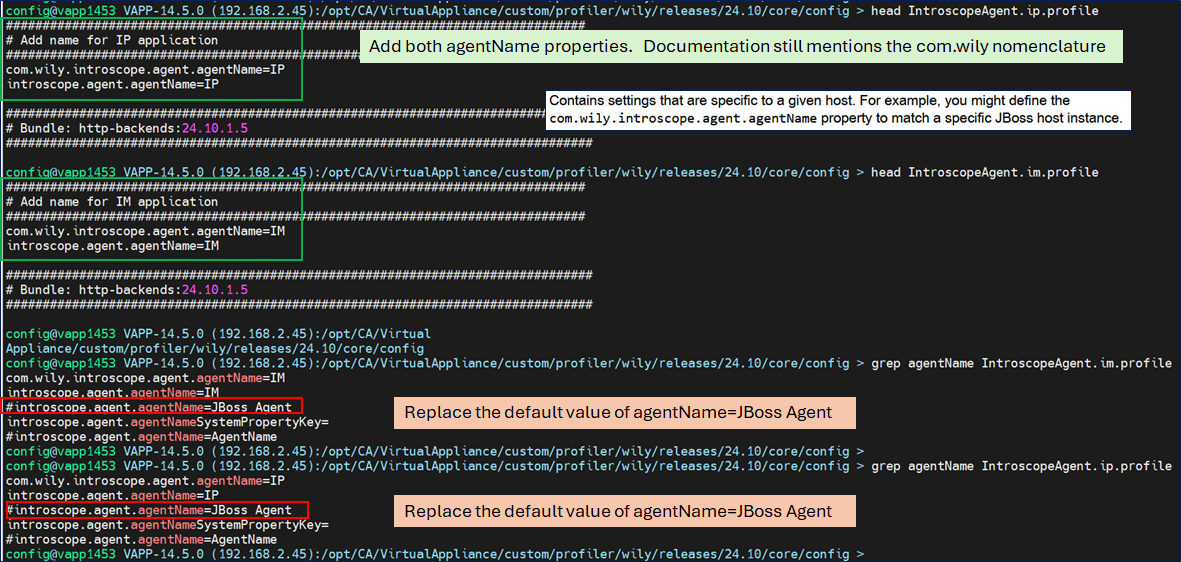
cat /opt/CA/VirtualAppliance/custom/IdentityManager/jvm-args.conf

# Add the Symantec/Broadcom DX-OI/2 Javaagent to Identity Manager
JAVA_OPTS=-Xms512m -Xmx4096m -XX:+UseG1GC -XX:+UseStringDeduplication -XX:+UseCompressedOops  -Djava.net.preferIPv4Stack=true   -XshowSettings:properties  -DLog4jContextSelector=org.apache.logging.log4j.core.selector.BasicContextSelector -javaagent:/opt/CA/VirtualAppliance/custom/profiler/wily/releases/24.10/Agent.jar -Dcom.wily.introscope.agentProfile=/opt/CA/VirtualAppliance/custom/profiler/wily/releases/24.10/core/config/IntroscopeAgent.im.profile  -Dintroscope.agent.bootstrap.home=/opt/CA/VirtualAppliance/custom/profiler/wily -Dintroscope.agent.bootstrap.release.version=24.10 -Dintroscope.agent.bootstrap.version.loaded=24.10


cat /opt/CA/VirtualAppliance/custom/IdentityPortal/jvm-args.conf

# # Add the Symantec/Broadcom DX-OI/2 Javaagent to Identity Portal
JAVA_OPTS=-Xms512m -Xmx1512m -XX:+UseG1GC -XX:+UseStringDeduplication -XX:+UseCompressedOops -Djava.net.preferIPv4Stack=true -javaagent:/opt/CA/VirtualAppliance/custom/profiler/wily/releases/24.10/Agent.jar -Dcom.wily.introscope.agentProfile=/opt/CA/VirtualAppliance/custom/profiler/wily/releases/24.10/core/config/IntroscopeAgent.ip.profile -Dintroscope.agent.bootstrap.home=/opt/CA/VirtualAppliance/custom/profiler/wily -Dintroscope.agent.bootstrap.release.version=24.10 -Dintroscope.agent.bootstrap.version.loaded=24.10

Per online documentation, we have other renaming options as well
# Using JVM -D environmental switches, we can set one of these two
# -D JVM switches
# -DagentName=IM
# -Dcom.wily.introscope.agent.agentName=IM


# Within the Instroscope.profile  configuration file, we have these options.
# Allow Introscope to pickup a JVM environmental value from a pre-existing -D variable
introscope.agent.agentNameSystemPropertyKey=jboss.node.name

# Static name for the agent
introscope.agent.agentName=IP

# Allow the Introscope agent to append an integer to the name, used for clusters, e.g. JBoss Agent-1, JBoss Agent-2
introscope.agent.clonedAgent=true
The deployments for IP and JCS had no issues using any of the above, the IM application only responded well to the cloneAgent example. This is likely due to how the LogManager modules are ordered in the startup files that ‘config’ service ID does not have write access to modify.
Log Folder Cleanup
The ‘config’ service ID owns this folder, and even though there are files owned by ‘wildfly’, the ‘config’ user can delete these files.

ROI Metrics
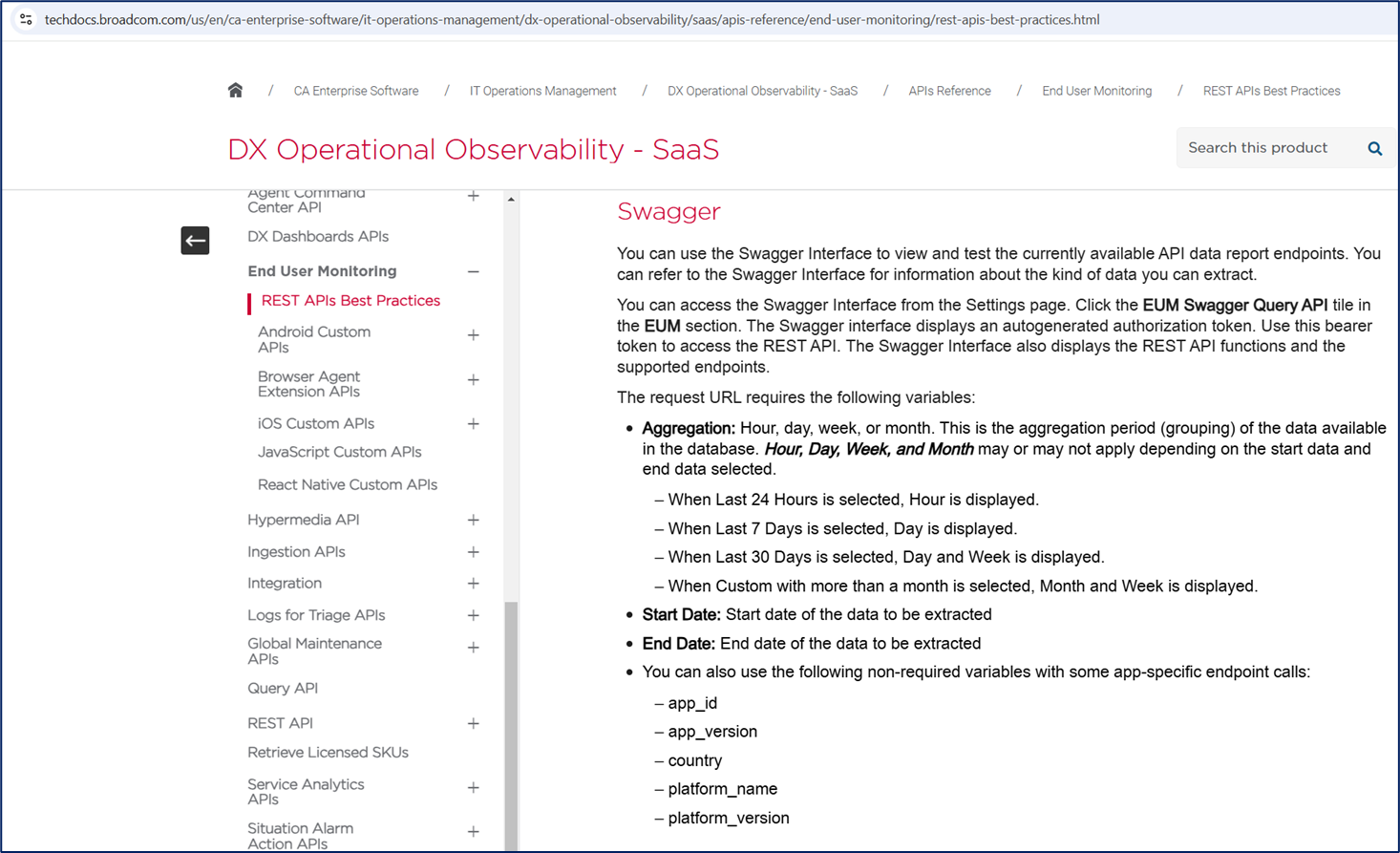
Enable the API section of your DX O2 instance to create your ROI Metrics Input
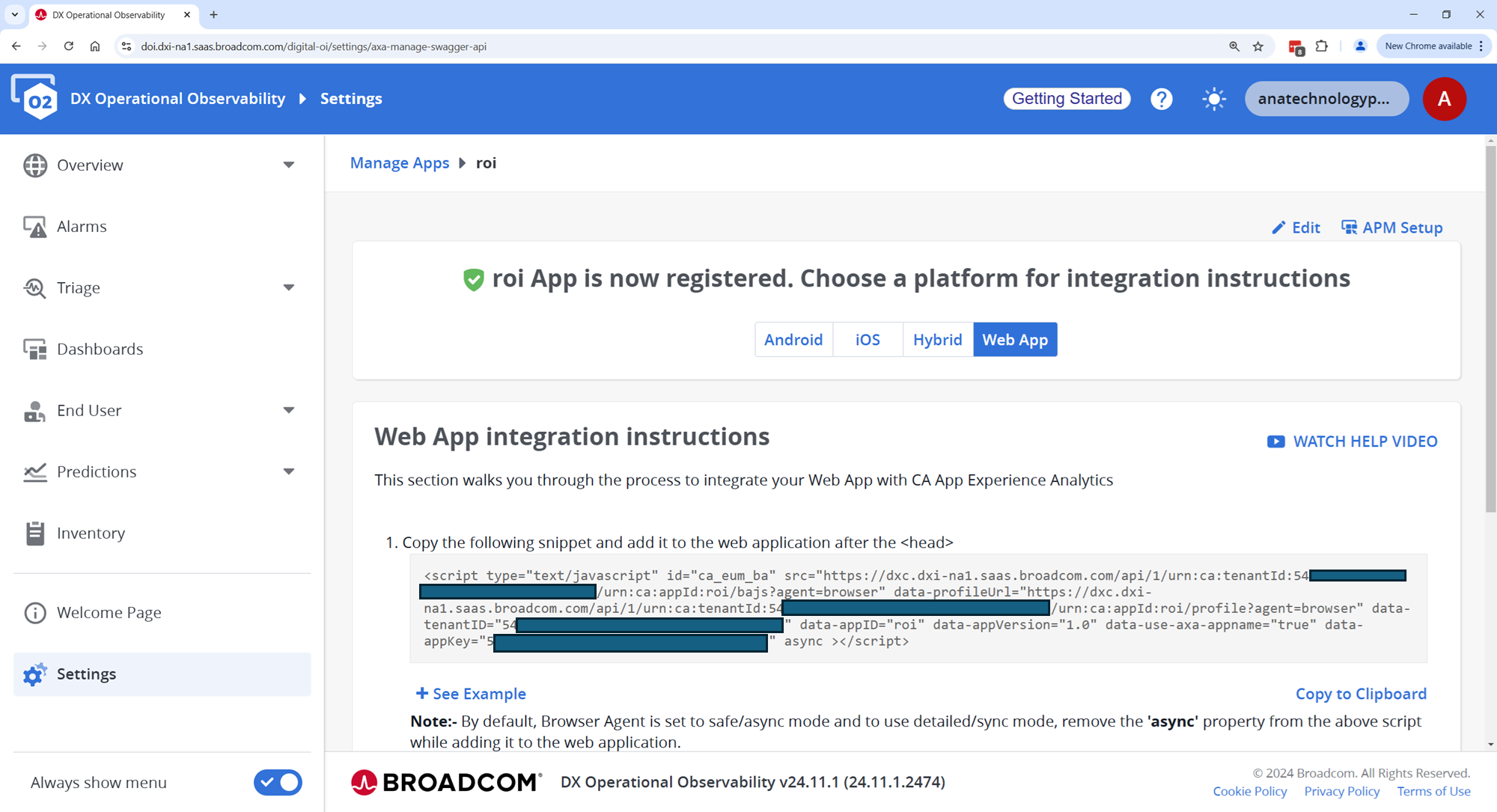
Access the Swagger-UI via these directions.
Again, please reach out and we will work with you to get the most value out of your solution.


